From the door to the office
The small admin that fills a teacher's day — the morning register, the pickup list, the forms, the report — made quick and quiet. No clipboard, no roll call, no software from the early 2000s.
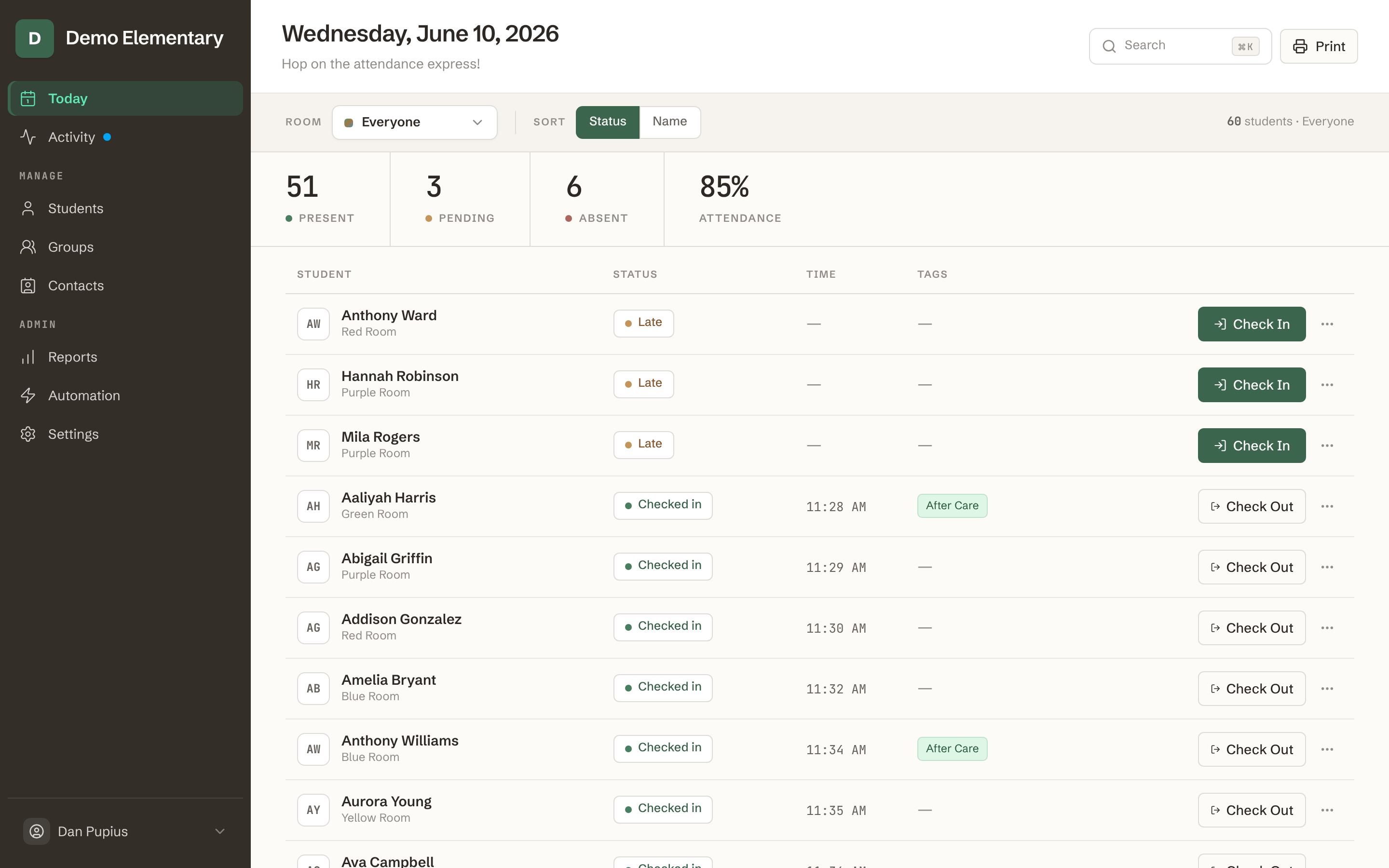
See who's here
The morning opens to a clear picture — who's arrived, who's out, and who's running late, across every room — and you check children off as you greet them.
- A few taps, not a roll call.
- Mark a child, or a whole group, present, absent, or late from your phone while you greet families at the door.
- The whole school on one screen.
- Every room and group in one place, updating as children arrive — so anyone in the office knows who's in the building.
- Easy to set right.
- A late arrival, an early pickup, a wrong tap — change any record in a moment, and the history is kept.
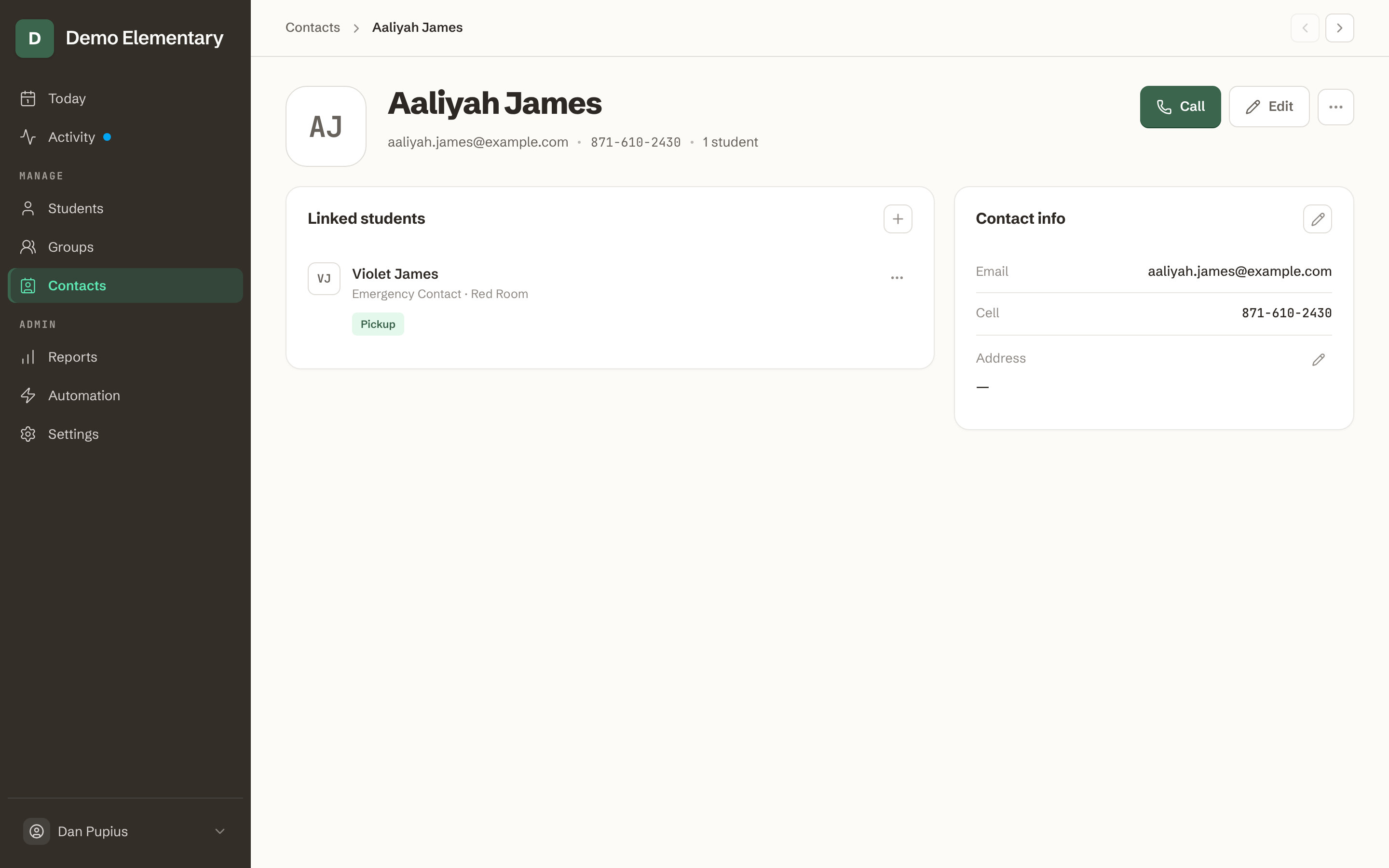
Who may collect a child
Keep families and caregivers together in one place — including who is, and isn't, allowed to take a child home — so dismissal is sorted before the end-of-day scramble.
- More than a phone number.
- Several caregivers per child, with relationships and who to call first when it matters.
- Pickup, made clear.
- Mark who may collect each child — and flag anyone who may not.
- Families stay linked.
- Siblings and shared contacts connect on their own, so there's nothing to enter twice.
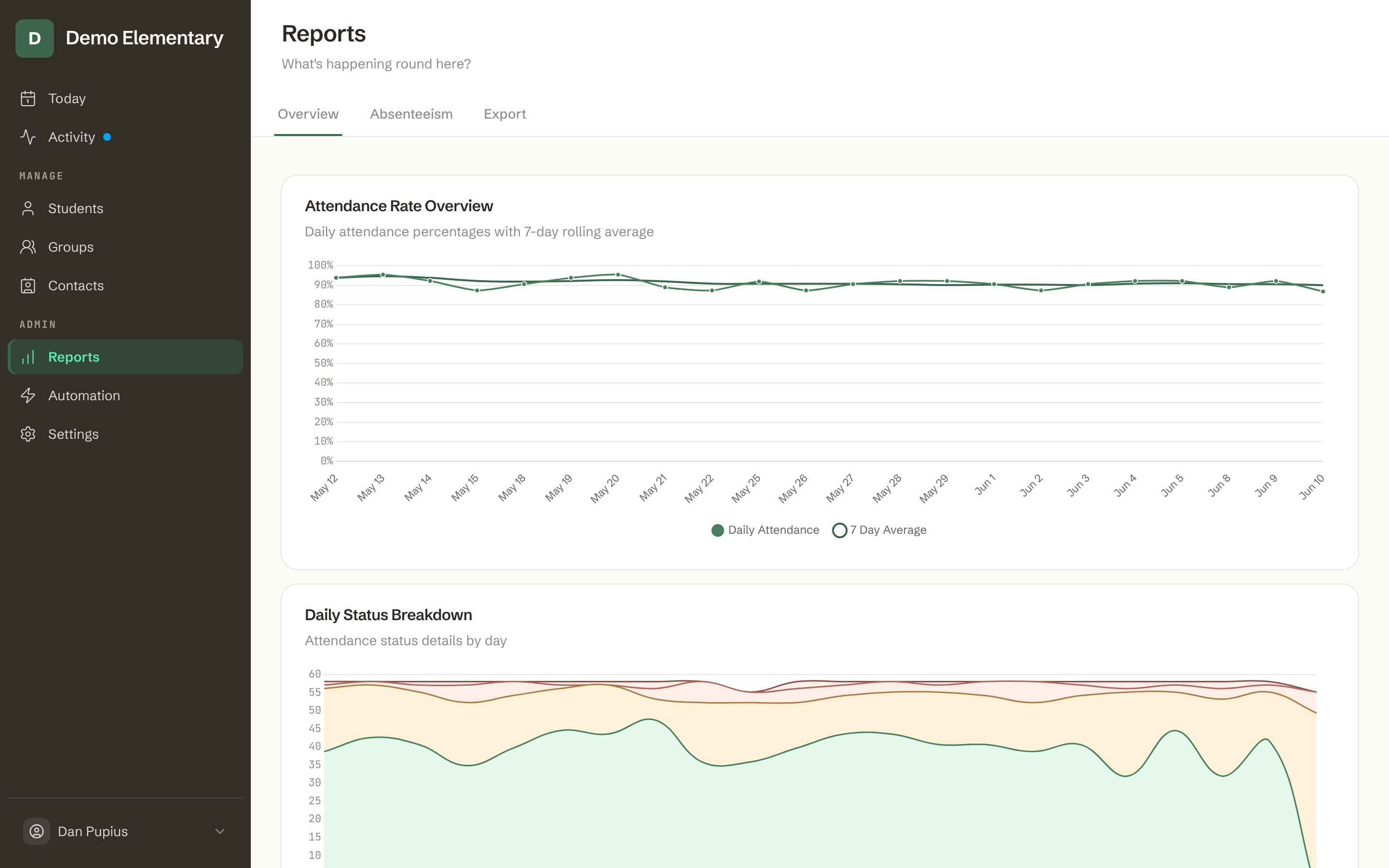
Only the numbers you owe
Attendance and dismissal add up quietly in the background, so the few figures the state asks for are a click away — no spreadsheet night.
- Ready when you're asked.
- Export attendance for a child, a room, or the whole school in the format your district expects.
- Patterns worth a gentle word.
- See repeated or consecutive absences early, so you can reach out to a family before it becomes a problem.
- Closures and school years built in.
- Holidays and term dates are accounted for, so the totals stay honest without any fiddling.
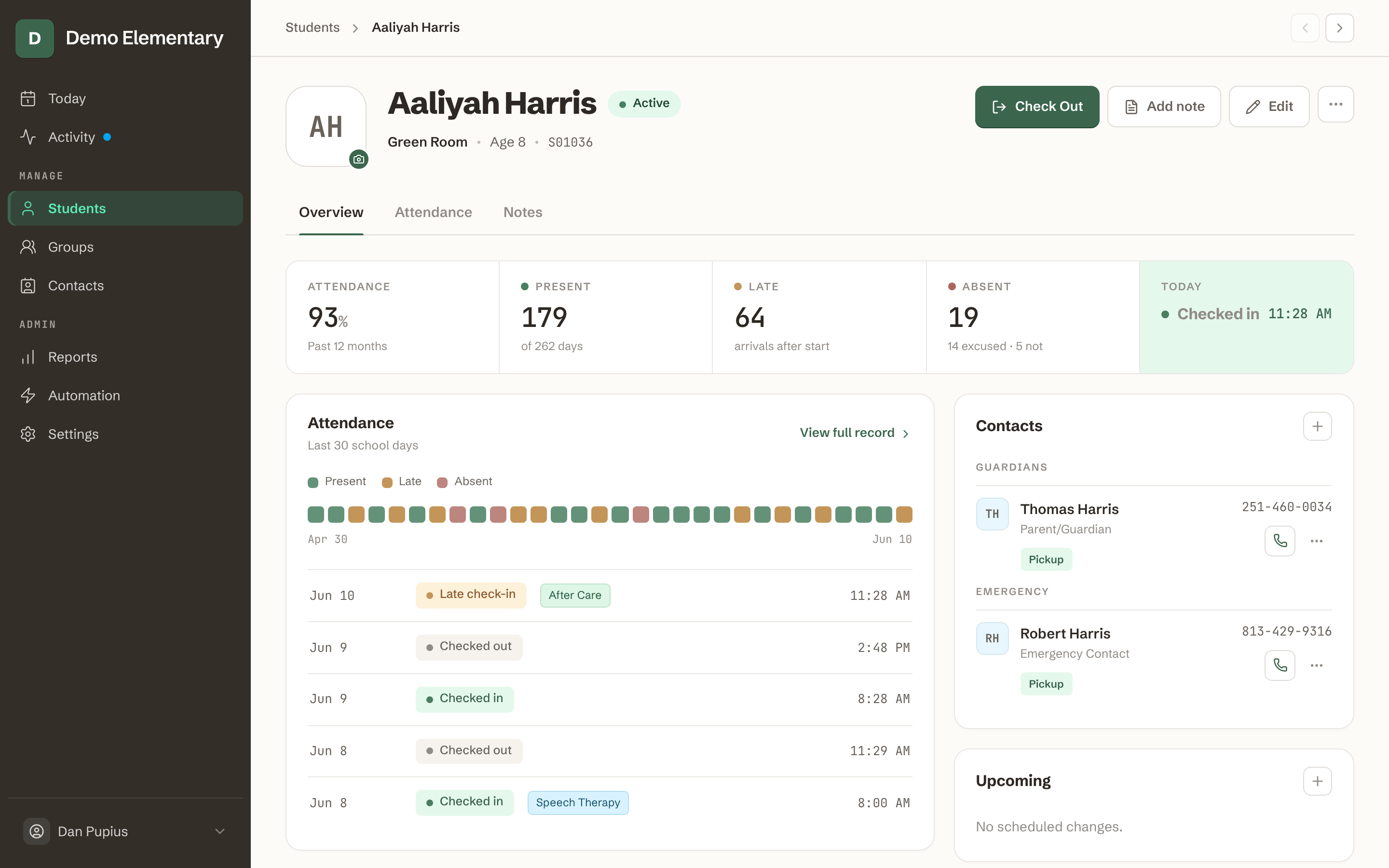
A complete picture of each child
Everything about a child in one calm place — who they are, who to call, and how their week has gone.
- The child first.
- Preferred name, photo, and the details that help staff know a child — not just a row in a database.
- Set up from a spreadsheet.
- Import your roster from a CSV and have profiles ready in an afternoon, siblings and contacts already linked.
- Grouped your way.
- Mixed-age rooms, activities, or any way your school is shaped — not a rigid grade-and-period grid.

Families fill in their own details
Send a secure link and caregivers complete their child's information themselves — no account, no paper, no re-keying.
- No account, no app.
- Parents open a link and fill in the form on their phone; there's nothing to download or remember.
- They keep it current.
- At the start of each year, families update their own contacts and pickup details — so your records stay right without you chasing them.
- Straight into your roster.
- Submissions arrive as students and contacts, with duplicates matched automatically.
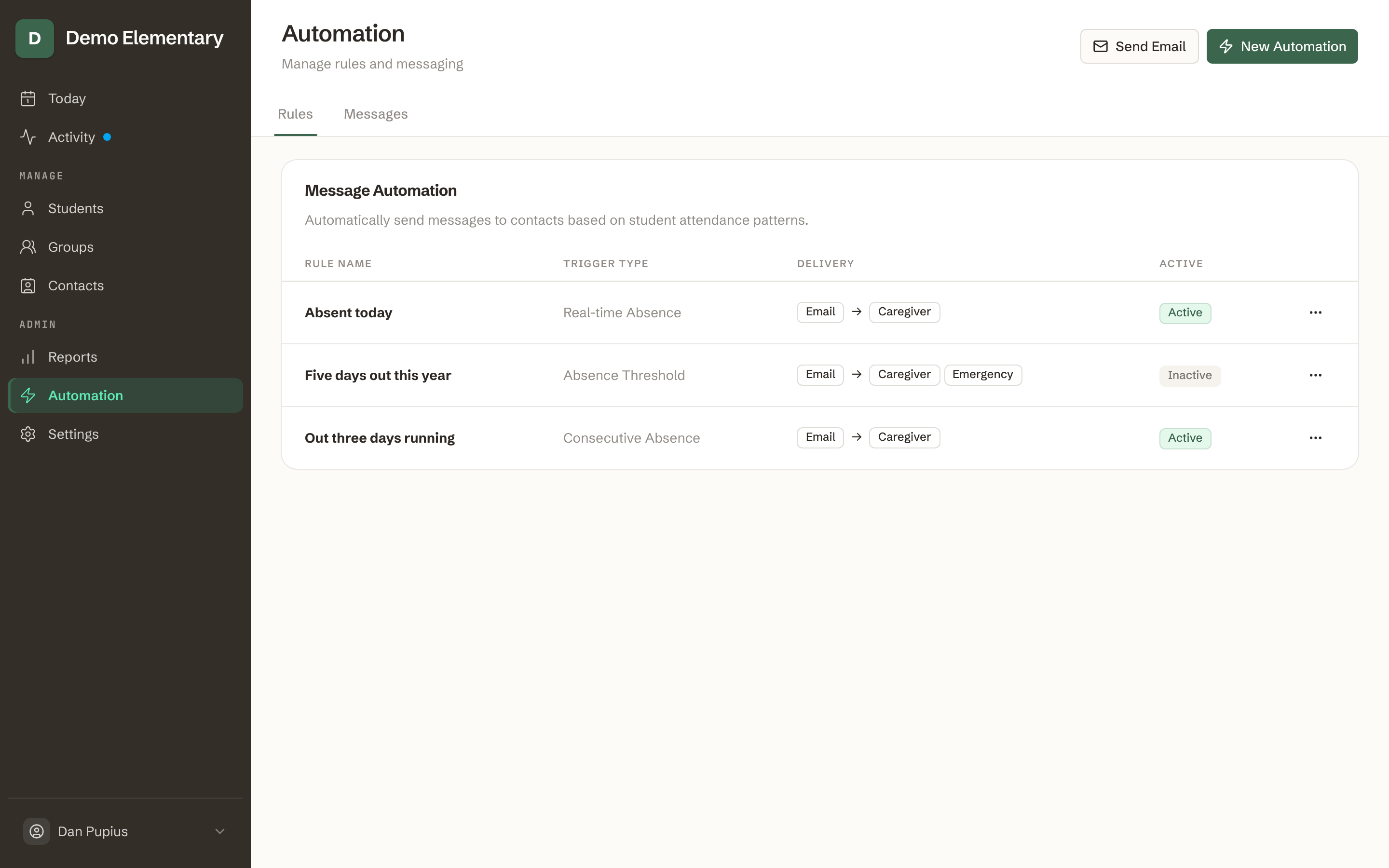
A quiet note home
Set a simple rule once — like a message after a child has been out a few days — and it sends itself, kindly.
- A few choices, not code.
- Build a rule from a short form — pick a trigger (absences, tardies, or a no-show by a set time), write the note, choose who hears from you. No scripting.
- Caring, not nagging.
- Warm messages with your own wording and a child's name dropped in — you decide who hears from you, and when.
- It runs in the background.
- Rules send on their own, so you only step in when you want to.
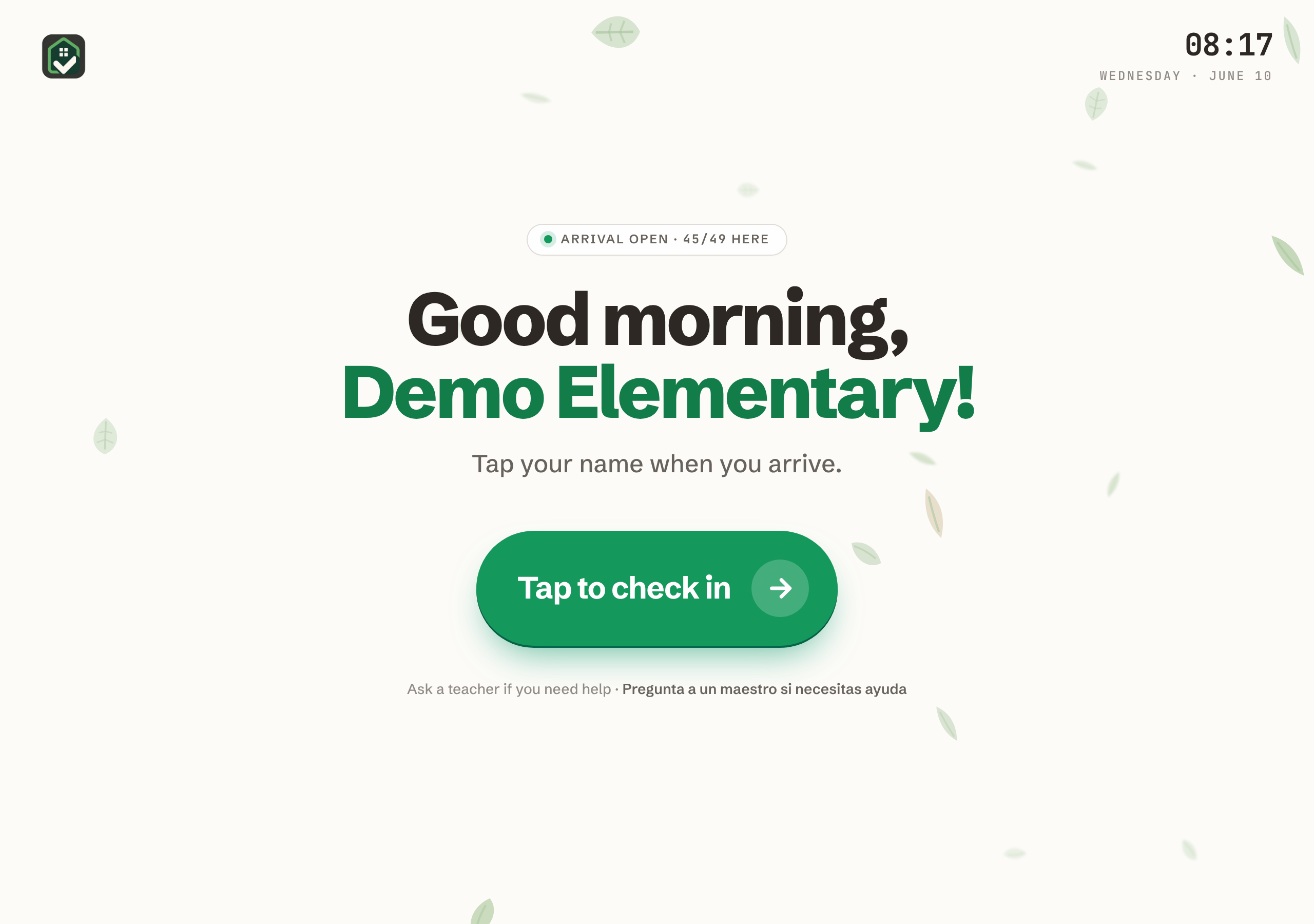
Or let children check themselves in
Want the morning even lighter? Set a tablet by the door and let each child tap their own name to arrive — a little independence for them, one less thing for you.
- Made for small hands.
- Big, friendly tiles and a press-and-hold tap — designed for five-year-olds, not spreadsheets.
- A calm ritual.
- A warm greeting and drifting leaves; arrival feels like part of the day, not a checkpoint.
- Safe by design.
- A staff PIN guards the exit, and children can only check themselves in — nothing more.
Aqui Aca is simple to use, designed with input from real educators, and the team is extremely responsive to feature requests. It's an intuitive app, and gets the necessary information to the correct audiences in time.